
Smart Lock Problems: A Farmington Fix-It List
Most smart-lock failures are power, alignment, or settings — not a dead lock. Start with a full fresh set of batteries, then check whether the bolt moves freely with the door open, then check the app and settings. If the bolt binds with the door open, the motor or mechanism is failing; if it moves freely open but jams shut, the door is the problem. Farmington Locksmith installs smart locks, including Wi-Fi locks with remote codes for tenants, family, or cleaning staff — and because our residential page publishes no smart-lock price, this list gives none: call (505) 542-7424 for a firm price on the phone before any work.
The 60-Second Diagnosis: Which Failure Is Yours?
One rule before all fixes: if you have another way in — a key, another code, another door — use it first. Never troubleshoot while locked out in the cold if you can get in another way.
| What you see | Start here |
|---|---|
| Completely dead — no light, no sound | Fix 1, then Fix 2 |
| Lights up but will not move the bolt | Fix 3 and Fix 4 |
| Moves but will not stay locked, or locks you out | Fix 7 |
| App dead but the keypad still works | Fix 6 |
The Fix-It List, In Order
Fix 1 — Fresh Batteries, the Right Way
What if the smart lock runs out of battery?
This is the question panicked owners ask on Quora, usually after the low-battery warnings were ignored. So first: act on the warnings. If it is already dead, many keypad locks have two contacts on the underside for a fresh 9V battery held flat against them while you enter the code, and some newer locks have a USB-C port for a power bank — check your model, because not every lock has either. Always keep the physical key backup: most Schlage, Kwikset, and August models keep a key cylinder, though some key-free models do not.
Then replace ALL the batteries as one fresh set of the type your manual names — never mix old and new. A lock can have enough power to light the keypad but not enough to drive the bolt motor, so a half-dead set is the classic false trail. Yale Assure models use 4 AA alkaline; Schlage Encode (Wi-Fi) uses 4 AA alkaline with roughly 6 months of typical life on Wi-Fi. If fresh batteries drain fast, check in order: a binding bolt forcing the motor to work harder every cycle (the biggest culprit); a Wi-Fi-direct lock working harder than a Bluetooth, Zigbee, or Z-Wave lock talking to a nearby hub; frequent polling, short auto-lock timers, and notification spam waking the radio (lengthen the polling interval to an hour or more); and wrong, old, or mixed batteries, or cold weather cutting usable voltage. If drain survives alignment, a fresh set, and saner settings, the motor or module needs a professional check.
Fix 2 — Power-Cycle, Don’t Factory-Reset Yet
Remove all the batteries, wait 30–60 seconds so residual charge drains, reinsert a fresh set, and test with a code. A factory reset is the LAST resort: on Yale touchscreen models it deletes ALL user codes including the master, and on other brands the sequence differs — always use your own model’s manual, never another lock’s sequence.
Fix 3 — Keypad Dead While the Lock Still Works
Schlage Lock Keypad Not Lighting Up?
This exact question comes up on JustAnswer, and the answer is reassuring: the keypad and the motor are separate circuits, so a dark keypad does not mean a dead lock. Wake the keypad properly first — a sleepy keypad ignores the first touch — then fit a full fresh battery set, check the keypad-to-interior cable is fully clicked in, and clean the contacts. That cable is the usual suspect when a lock has enough power for the deadbolt but not the keypad.
Fix 4 — Bolt Jammed, or Won’t Extend or Retract Fully
I think someone has tampered with my lock. It says on my phone lock jammed.
This JustAnswer worry is almost always a false alarm: a “jammed” alert almost always means the bolt is binding on the strike plate, not tampering. Run the door-open test — with the door OPEN, run the bolt. If it moves freely, the mechanism is fine and the door or frame is the problem: sagging hinges, a shifted strike plate, or a swollen or warped door. Only suspect damage if the lock shows physical marks, or the bolt still binds with the door open. Tightening hinges or adjusting a strike plate is doable if you are confident; a door that needs planing, hinge re-seating, or strike relocation is professional work. Use graphite or silicone lubricant only — never household oils like WD-40 inside a lock, which attract dust.
Fix 5 — Correct Code (or Fingerprint) Rejected
Check the code is still active — temporary and guest codes expire — that the keypad is awake before typing, and that you are not in lockout mode after repeated wrong entries (wait it out; only the master user can change lockout settings on some Yale models). If one credential works and another does not, the problem is that credential, not the lock: delete and re-add it. For fingerprints, clean the sensor with a dry soft cloth and re-register the failing finger — register the same finger twice if the app allows — and remember cold, dry skin reads worse.
Fix 6 — App, Wi-Fi, or Bluetooth Drops
Most smart locks need 2.4 GHz Wi-Fi, not 5 GHz, and a weak signal at the door forces constant reconnects — which means both drops and drain. Move the router or hub closer, or add an extender or repeater near the door. Then restart the router, power-cycle the lock, and re-pair only if the first two fail. The key reassurance: when Wi-Fi is down, previously configured codes still work locally on the lock — only remote management and notifications stop. Keep firmware updated: several battery and connectivity fixes ship as firmware updates.
Fix 7 — Auto-Lock (and Auto-Unlock) Misbehaving
Check the feature is actually enabled, then check the door sensor — Yale DoorSense-type sensors must be aligned, or the lock thinks the door is open and refuses to auto-lock. Then lengthen a too-short delay: a 10–15 second delay locks you out while you are still carrying groceries in, and 30–60 seconds or more is the usual fix. Geofence auto-unlock misfires are a phone-location problem, not a lock problem — calibrate or disable geofencing if it keeps firing wrong.
Fix 8 — Cold-Weather Behaviour
Farmington winter nights hit smart locks three ways: batteries lose usable voltage in the cold even when they show charge, lubricants thicken, and condensation can form and freeze — while metal and plastic contract at different rates, worsening misalignment. The single best cold-weather move is a pre-winter swap to lithium batteries, which hold voltage better in the cold than alkaline. Swap before winter, and re-check alignment when the cold arrives.
Fix 9 — Phone Lost or Dead
You are NOT locked out by default. Use the keypad code, the fingerprint if fitted, or the physical key first. Then log in to the lock app on another phone and delete or revoke the lost phone’s access. The rule, stated plainly: never rely on the phone as your ONLY way in. Keep a code and a key that live outside the phone. See our residential locksmith service for smart-lock installation and help.
When It’s NOT a DIY Fix
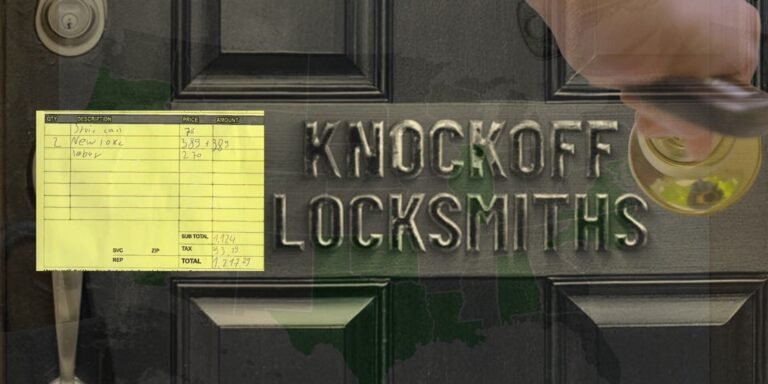
Stop and call if the motor grinds, the bolt binds with the door OPEN, the lock stays dead on fresh power with the cable seated, drain persists after alignment plus fresh batteries plus settings, the door needs hinge, strike, or planing work, or there is wiring or water damage. Do not keep forcing a binding motor — it can strip gears. A misaligned door fixed once beats a new lock on a bad door. Two warnings from our other guides: if a quote grows after work starts, here is what to do if a locksmith overcharged you, and a real locksmith verifies the job and quotes firm on the phone, as our guide to locksmith scam red flags explains.
The 5-Minute Smart-Lock Routine
Change batteries on a schedule, not when they die; test the bolt with the door open every few months; clean the keypad and sensor monthly; delete stale guest and tenant codes when people leave; check firmware when you change batteries; and keep one spare key and one memorised code outside the phone. Changing who can enter a traditional lock? Rekeying is the cheaper route — see how much it costs to rekey a house in Farmington.
Real Questions Owners Ask About Smart Locks
Schlage Encode suddenly going through batteries at a ridiculous rate
Start with the bolt — a scraping, misaligned deadbolt is the most common hidden drain. Then check Wi-Fi-direct load, polling and short auto-lock timers, and mixed or old batteries. If drain persists after alignment, a fresh set, and a longer polling interval, the motor or module needs a professional check. Homesmitten’s smart lock troubleshooting walks the same order: batteries, alignment, then settings.
Smart lock completely unresponsive, not sure what else to try
Do the 60-second power-cycle with a full fresh battery set, check the keypad-to-interior cable is fully seated, and try the 9V or USB emergency power or the physical key to get in. Factory reset only as a last resort, because it wipes codes. If it stays dead on fresh power with the cable seated, that is a hardware failure — professional repair or replacement.
I have a smart door lock fitted to my house and for some reason it has stopped recognizing me and my cousins’ fingerprints but still recognizes my dad’s. What could be the problem?
Almost never the whole lock — it is those individual prints. Clean the sensor, re-register the failing fingers, try a different finger, and check battery level, because weak power means weak reads. Cold, dry skin also reads worse. If re-registration fixes it, no replacement is needed.
Smart lock with decent battery life?
For a rental, prefer a lock that talks Bluetooth, Zigbee, or Z-Wave to a hub over a Wi-Fi-direct lock, use lithium batteries in winter, set a sensible polling and auto-lock interval, and fix alignment first — a binding door will eat any battery. The landlord angle is exactly why remote codes matter: on one local job, Wi-Fi smart locks were installed on main entry points so access codes could be added or removed remotely for cleaning staff and incoming tenants, without leaving keys hidden outside. Aqara’s battery-dying guide makes the same lithium, firmware, and Wi-Fi signal points.
Smart door locks — is there any issue with security? What are the risks/downsides?
The real risks are shared or stale codes, a lost phone that still holds access — revoke it from another device — and a missing backup way in, not the lock’s electronics failing on their own. Change factory and default codes on install, delete ex-tenant and guest codes when people leave, and always keep a code plus a physical key outside the phone. A smart lock is only as strong as its door alignment and its backup-key discipline.
Smart Lock Misbehaving in Farmington?
Work the list above first — most fixes take minutes. If the bolt still binds, the lock stays dead, or the door itself is the problem, call Farmington Locksmith — firm price on the phone before anyone is dispatched. See our residential locksmith service for smart-lock installation.
Call (505) 542-7424